How to Improve Drag-and-Drop Interface Using WhatsApp Business API Platforms
Your bot builder looks simple until a flow hits 40 nodes. Then dragging a message block across a laggy canvas turns a five-minute task into a twenty-minute fight, and every mistake ships straight to a customer on WhatsApp.
This article breaks down the design principles behind a faster drag-and-drop builder, from simplifying node types and canvas snapping to cutting latency in real-time message flows. You will also learn how to test your interface with sales and support teams, which metrics reveal where builders get stuck, and what to check before choosing a platform like Com.bot.
Why Drag-and-Drop Matters in WhatsApp Business API Platforms
In the fast-paced world of WhatsApp Business API automation, the drag-and-drop interface has emerged as a critical differentiator for both novice and expert bot builders. Instead of writing thousands of lines of code to define a conversation flow, users can place nodes on a canvas, connect them with lines, and watch a chatbot take shape in minutes.
This shift from code-heavy development to visual assembly democratizes bot creation. A marketing manager, support lead, or small business owner can design an interactive message sequence, a product carousel, or a quick reply menu without waiting on engineering resources.
For businesses relying on the WhatsApp Business API, that accessibility translates into faster experimentation. Teams can test a new catalog sharing flow or a document transfer step, adjust based on real conversations, and iterate without a full development cycle.
A well-designed drag-and-drop experience directly affects three outcomes: adoption, efficiency, and error rates. If the canvas feels predictable and responsive, more team members will use it. If it feels fragile, even experienced builders will avoid it or make costly mistakes.
Interaction design choices, from drop zone sizing to cursor state feedback, determine whether the builder becomes a daily tool or an abandoned experiment. The sections below examine where visual builders typically fall short and why interface quality shapes both the speed and the accuracy of automation.
Common UX Pain Points in Visual Bot Builders
Despite the promise of visual bot builders, many users encounter frustrating UX pain points that hinder productivity and adoption. These issues rarely appear in demos, but they surface quickly during real flow construction.
One of the most common problems is tiny touch targets. When a drag handle is only 8px wide or a drop zone measures smaller than 44x44 pixels, users misdrop nodes, especially on touch devices. Fingers are imprecise, and small targets turn a simple reposition into a repeated struggle.
Another frequent complaint is the lack of visual affordance. If a node does not look draggable, users may never attempt to move it. Without a clear grab cursor, a subtle shadow, or a highlighted border on hover, the interface hides its own capabilities.
- Inconsistent cursor states during drag operations, leaving users unsure whether a drag is active or cancelled.
- Missing drag previews, so the user cannot see what is being moved or where it will land.
- No snap-to-grid or collision detection, causing nodes to overlap and connections to become visually tangled.
- Accidental deletions when a drop lands outside a valid zone and the system silently removes the element.
- Absent auto-scroll, which forces users to zoom out and lose detail when building large flows.
These flaws compound. A flow error caused by a misdrop can break a live conversation path, and debugging a tangled canvas takes far longer than the original build. Frustration builds, and adoption stalls.
How Interface Quality Impacts Automation Speed and Accuracy
The quality of the drag-and-drop interface has a direct impact on both the speed of bot creation and the accuracy of the resulting automation. Poor interface design can increase build time and error rates, largely through rework and debugging.
A responsive canvas with optimistic UI updates reduces perceived latency. When a node snaps into place instantly rather than waiting for a server round trip, users maintain their momentum and stay in a creative rhythm. Latency reduction is not just a technical nicety. It changes how people think about the tool.
Error recovery mechanisms matter just as much. A reliable undo action lets builders explore without fear. Clear drop validation, combined with visible feedback when a drop is rejected, prevents silent failures that corrupt a flow.
Accessibility features also shape accuracy. WCAG compliance, keyboard navigation, ARIA attributes, and screen reader support open the builder to more team members and reduce reliance on precise pointer control. On mobile, gesture recognition with long-press activation and sensible swipe thresholds prevents accidental drags.
Precise drop zones matter for complex elements too. Placing a product carousel, an interactive message, or a file upload step requires the system to understand exactly where the node belongs. When validation is ambiguous, flows break in production.
In short, speed and accuracy are not separate goals. They both flow from an interface that responds instantly, forgives mistakes, and communicates clearly at every step of a drag.
Core Design Principles for a Better Drag-and-Drop Builder
Designing an exceptional drag-and-drop builder requires adherence to core principles that prioritize clarity, efficiency, and user control. These principles are not decorative touches layered on at the end. They shape how quickly a person can assemble, test, and revise a WhatsApp Business API flow.
Three principles matter most: consistency, feedback, and forgiveness. Consistency means a drag handle, drop zone, and cursor state behave the same way everywhere on the canvas. Feedback means the interface reacts the moment a user picks up a node, hovers over a target, or releases it. Forgiveness means mistakes are cheap to undo.
When these principles hold, interaction design stops being a source of friction. Users spend their attention on conversation logic, quick reply branching, and message content rather than on fighting the tool. When they fail, even simple tasks like wiring a condition to a message node feel uncertain.
Consider what poor feedback looks like. A node lifts with no drag preview, the drop zone gives no highlight, and the release produces silence. The user cannot tell whether the action registered. Good feedback answers three questions instantly: what am I holding, where can it go, and what just happened.
Accessibility belongs in this foundation too. Keyboard navigation, screen reader labels, and ARIA attributes are not separate projects. They are the same clarity principle applied to users who cannot rely on a mouse. A builder that respects WCAG compliance tends to be easier for everyone to operate.
Simplifying Node Types and Flow Logic
A proliferation of node types and convoluted flow logic can overwhelm users, turning bot building into a puzzle rather than a productive task. Most WhatsApp Business API conversations rely on a small set of building blocks. Message, condition, and action nodes cover the large majority of real use cases.
Start by auditing what your palette actually needs. A minimal core might look like this:
- Message node: sends text, media, or a document transfer
- Condition node: branches on user input or a variable
- Action node: triggers a tag, handoff, or catalog sharing step
- Quick reply node: presents buttons that branch automatically
Everything else, such as product carousel builders, interactive message templates, and advanced scheduling, can live under collapsible categories. Advanced users still reach them. New users are not confronted with forty options on first open.
Flow logic deserves the same restraint. Quick reply nodes that branch automatically remove the need for a separate condition node after every button. Deep nesting is the other common trap. When branches sit five levels deep, comprehension drops and error recovery becomes painful.
Clear labeling and color-coding carry much of the load. If message nodes are one color and conditions another, users read structure at a glance instead of opening each node. Fewer node types and flatter flows reduce cognitive load, which speeds up bot creation and makes handoffs between team members far smoother.
Improving Canvas Navigation, Zoom, and Snapping
Efficient canvas navigation is the backbone of a smooth drag-and-drop experience, enabling users to focus on logic rather than mechanics. The goal is simple: positioning a node should take one gesture, not five adjustments.
Zooming sets the tone. Support smooth zooming through keyboard shortcuts such as Ctrl plus and Ctrl minus, pinch gestures on trackpads and touchscreens, and a visible zoom control. A practical range runs from roughly 50 percent for a full-flow overview to 200 percent for detail work on a single branch.
Auto-scroll matters as much as zoom. When a user drags a node near the canvas edge, the view should pan automatically so the drop zone stays reachable. Without it, users drop mid-drag, scroll, and start over.
Alignment tools remove fiddly pixel work:
- Snap-to-grid in small increments, such as 10px, keeps nodes tidy without feeling rigid
- Collision detection nudges overlapping nodes apart so labels stay readable
- Alignment guides appear when a dragged node lines up with its neighbors
Latency reduction and optimistic UI reinforce the same feeling. The node should move with the cursor, not lag behind it, and the canvas should reflect a change immediately while the underlying save happens in the background.
Undo action and drop validation complete the picture. A misplaced node should reverse with one keystroke, and an invalid drop should explain why rather than silently failing. Well-tuned navigation and alignment cut the time users spend on positioning, freeing attention for the conversation design itself.
Technical Improvements That Enhance Drag-and-Drop Performance
Behind every fluid drag-and-drop interaction lies a set of technical optimizations that ensure responsiveness and reliability, even under complex conditions. Users never notice these mechanics when they work correctly. They notice immediately when they fail.
A drag-and-drop interface built for a WhatsApp Business API platform carries extra weight. Every node, branch, and connector may trigger a message flow across WhatsApp, Facebook Messenger, or Instagram DM. The canvas must stay smooth while the logic underneath grows dense.
Three technical layers matter most. The first is latency reduction, which keeps motion tied to the user's finger or cursor. The second is multi-channel logic handling, which keeps complex branching readable instead of chaotic. The third is rendering discipline, where the canvas redraws only what changed rather than the entire graph.
When these layers are absent, symptoms appear fast. Nodes lag behind the pointer, drop zones reject valid placements, and channel-specific branches overlap into an unreadable web. None of these problems show up in a demo with five nodes. They surface at scale, which is exactly when teams can least afford them.
The subsections below cover the two highest-impact areas: reducing latency in real-time message flows and managing multi-channel complexity without visual clutter. Both are invisible when done well and glaring when done poorly.
Reducing Latency in Real-Time Message Flows
Latency in drag-and-drop operations can break concentration and lead to errors, making latency reduction a top technical priority. A node that trails the cursor by even a fraction of a second feels broken, and users start second-guessing their own input.
The performance target is straightforward. Aim for sub-16ms response times so the interface holds a steady 60 frames per second. Once latency crosses roughly 100ms, dragging feels sluggish and imprecise, and drop validation errors become more common.
Several techniques close that gap:
- Optimistic UI updates: reflect the node's new position immediately, then confirm with the server in the background. If the server rejects the move, roll it back with a clear undo action.
- Debouncing drag events: fire position updates at a controlled interval instead of on every pixel of movement, which prevents event floods during fast drags.
- WebSockets for synchronization: keep collaborative edits in real time without polling, so two editors never fight over the same node.
- Local-first rendering: draw the drag preview on the client and treat the server as the source of truth only after the drop.
Error recovery deserves equal attention. When a drop fails validation, the interface should return the node to its origin, explain why, and offer a retry. Silent failures erode trust faster than visible ones.
These optimizations also pay off during development. Teams that streamline their real-time pipeline often report noticeably shorter build times, since fewer workarounds are needed to mask jank. The exact savings vary by project, but the direction is consistent.
Handling Complex Multi-Channel Logic Without Clutter
As bots expand across WhatsApp, Facebook Messenger, and Instagram DM, the drag-and-drop interface must manage multi-channel logic without becoming a tangled mess. A canvas that works for one channel often collapses under three.
The core problem is representational. Each channel has its own constraints: WhatsApp supports interactive messages and product carousels, while other platforms handle quick replies and media sharing differently. Showing every option for every channel at once produces visual noise.
Proven strategies keep the canvas readable:
- Channel-specific color coding or icons: a consistent visual affordance lets users identify a branch's channel at a glance.
- Collapsible branches: hide channel-specific sub-flows until the user needs them, keeping the top-level view clean.
- Grouping by channel: cluster related nodes so the eye follows a logical path rather than jumping across the canvas.
- Unified view with filters: let users toggle channels on and off to isolate one flow without losing the full picture.
- Sub-flows: extract reusable sequences into named modules that appear as single nodes.
Clutter has a cost. A well-designed multi-channel canvas can reduce configuration errors, largely because users stop misrouting messages to the wrong channel. Fewer misroutes mean fewer support tickets and less debugging.
Accessibility belongs in the same conversation. Keyboard navigation, ARIA attributes, and screen reader support ensure the canvas remains usable beyond pointer input. On mobile, long-press activation and a sensible swipe threshold prevent accidental drags during scrolling.
The goal is a canvas that scales with the bot. Grouping, collapsing, and filtering keep complexity manageable as channel count grows, so the drag-and-drop interface stays an asset rather than a liability.
Testing and Iterating on Your Interface
Even the most thoughtfully designed drag-and-drop interface requires rigorous testing and iteration to achieve excellence. Design assumptions made in isolation often break down the moment real users begin dragging nodes, connecting quick reply blocks, and building flows under time pressure.
Continuous testing with actual users surfaces hidden pain points that no amount of internal review can predict. A drop zone that looks obvious to a designer may confuse a support agent who is racing to finish a bot before a client call.
Iteration should follow a steady rhythm. Small, frequent refinements to touch target size, cursor state, and drop validation tend to outperform large redesigns that arrive months later.
Two workstreams drive this process. The first is structured usability testing with the teams who use the builder daily. The second is quantitative tracking of build time, error rate, and drop-off points. Together they turn the drag-and-drop interface into something that improves on a measurable schedule rather than by guesswork.
Usability Testing with Support and Sales Teams
Support and sales teams are often the primary users of bot builders, making their feedback invaluable for usability testing. They build welcome flows, catalog sharing sequences, and interactive message trees regularly, so their friction points reflect real production conditions.
Recruit five to eight participants from these teams for each round. Assign realistic tasks, such as building a welcome flow with quick replies and a product carousel, then observe without interfering. Record every session so you can revisit moments of hesitation.
Ask participants to think aloud as they work. Useful prompts include:
- What did you expect to happen when you dragged that node?
- Where did you look first when you wanted to move this block?
- Did the drag preview match what appeared after you dropped it?
- What made you pause before connecting these two steps?
Analyze where users hesitate, misdrop, or express frustration. Watch for missed drop zones, accidental releases near the canvas edge, and confusion when collision detection shifts a node position. Note whether mobile responsiveness or long-press activation causes trouble on tablets.
Iterative testing tends to reduce critical errors substantially over several rounds. Each fix should feed directly into the next test cycle, closing the loop between observation and design change.
Metrics to Track: Build Time, Error Rate, Drop-Off Points
Quantifying the user experience through metrics transforms subjective feedback into actionable insights for interface improvement. Three measures matter most for a drag-and-drop builder: build time, error rate, and drop-off points.
Build time measures how long it takes to complete a flow from blank canvas to publish. Track it per session and segment by flow complexity.
Error rate counts misdrops per one hundred drag operations. Instrument this by logging drag starts, successful drops, and undo actions triggered within seconds of a release.
Drop-off points reveal where users abandon the builder. Complex branching steps and file upload configuration are common culprits. Analytics tools can capture the last node touched before exit, giving you a precise location to investigate.
Set improvement goals that are specific and reviewable. Reducing average build time by a meaningful margin quarter over quarter is a common aim. Pair each goal with a corresponding interface change, such as snap-to-grid adjustments, clearer visual affordance on drag handles, or optimistic UI updates that cut perceived latency.
Review these numbers alongside usability findings. A rising error rate after a redesign signals that drop validation or haptic feedback needs attention, while stable build times with more drop-offs suggest a discoverability problem in the node palette.
Choosing a Platform with a Strong Drag-and-Drop Builder
Selecting the right platform for your WhatsApp Business API automation hinges on the quality and capabilities of its drag-and-drop builder. A weak builder forces teams into code workarounds, while a strong one lets marketers and support leads build flows without engineering help.
Four criteria matter most when comparing options. Evaluate each platform against your actual workflow, not just its demo.
- Intuitive interface: The canvas should make flow logic obvious at a glance, with clear visual affordances for every node and connection.
- Node library: Look for quick reply, interactive message, product carousel, catalog sharing, and file upload nodes that cover real conversation paths.
- Multi-channel support: A builder that handles WhatsApp, Messenger, and Instagram DM in one canvas saves duplicate work.
- Performance: Low latency, optimistic UI, and reliable auto-scroll keep the editing experience smooth as flows grow large.
The builder must also match your team's technical skill level. Non-developers need drag handles, snap-to-grid placement, and undo actions that make mistakes easy to reverse. Developers, meanwhile, want external actions and validation hooks they can extend.
Scaling needs deserve equal weight. A tool that works for two flows may buckle at fifty, so check how the platform handles collision detection, drop validation, and error recovery as complexity rises. Accessibility matters too: keyboard navigation, ARIA attributes, and WCAG compliance widen who on your team can build.
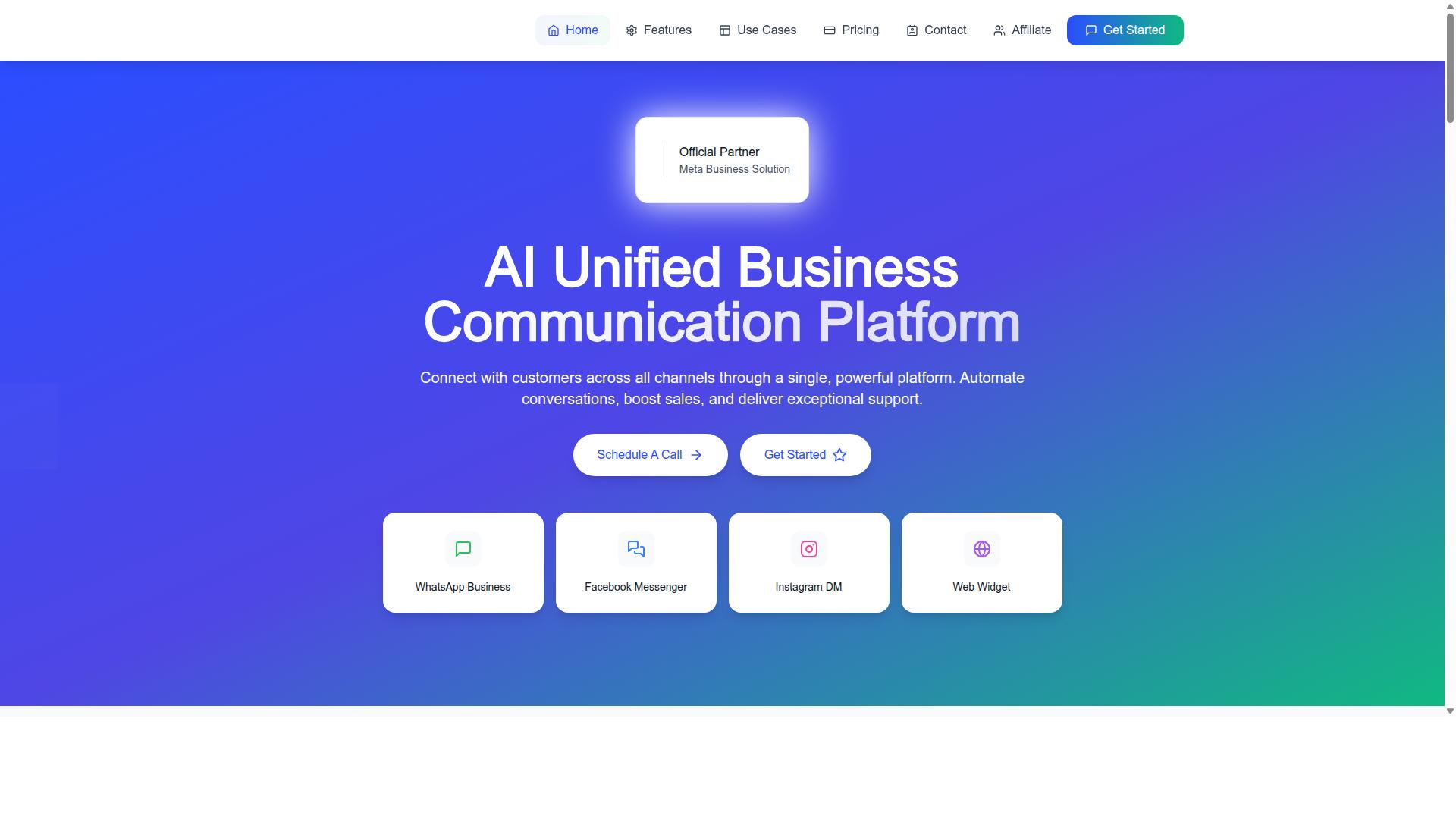
Com.bot is one example that meets these criteria. It is an AI Unified Business Communication Platform, and the sections below examine its visual builder and pricing in detail.
Com.bot's Visual Bot Builder and Multi-Channel Capabilities
Com.bot's Visual Bot Builder is a drag-and-drop interface designed to simplify multi-channel automation. Instead of maintaining separate flows per channel, teams build once and manage logic from a single canvas.
The platform connects customers across WhatsApp Business, Facebook Messenger, Instagram DM, and Web Widget through one system. That unified approach reduces complexity for growing teams, since support and sales conversations land in the same place rather than scattered across tools.
For interaction design, a shared canvas means consistent drag previews, cursor states, and drop zones regardless of which channel a node targets. Multi-channel logic handling sits at the flow level, so a quick reply or interactive message defined once can serve several destinations.
Com.bot is also an Official Meta Business Partner with direct WhatsApp Business API integration. That status matters for teams that want to build on the official API rather than a workaround, since it keeps the foundation stable as Meta updates its platform.
As flows grow, the practical benefits compound. Fewer duplicated branches mean less maintenance, fewer places for a broken node to hide, and faster iteration when a campaign needs a change.
For teams weighing mobile responsiveness and gesture recognition in their customer-facing flows, the single-canvas model also simplifies testing. One review pass covers the logic that runs across every connected channel.
Pricing and Setup Considerations for Growing Teams
For growing teams, the cost and setup of a drag-and-drop bot builder must align with both current needs and future scalability. Com.bot's plans are structured in quarterly tiers, which suits teams that want predictable budgeting rather than fluctuating monthly bills.
| Plan | Price | Notes |
|---|---|---|
| Silver | $149 per quarter | Entry tier |
| Gold | $349 per quarter | Recommended |
| Platinum V1 | $2500 per quarter | Highest tier |
Add-ons let you extend a plan as needs change. Additional team members, social channels, external actions (per 5000), bot triggers (per 25000), and an ecom store are each priced at $10 per month. WhatsApp messaging is billed at actual Meta rates with no markup, which keeps message volume costs transparent.
Dedicated support is available by the hour: WABA, CRM, and Inbox support at $49 per hour, and Ecommerce, Bots, and Automations support at $99 per hour. Teams with in-house technical staff may not need this, while others may treat it as onboarding help.
When comparing total cost of ownership, look beyond the subscription line. Factor in onboarding time, training for non-technical builders, and how quickly the team can ship new flows. A builder that is easy to learn reduces the hidden cost of ramp-up.
Match the tier to team size and channel count. A small team running WhatsApp alone may find Silver sufficient, while multi-channel operations with several builders will likely need Gold or Platinum. Revisit the choice as volume and headcount grow, since add-ons scale more gradually than a full plan jump.